A power outage costs a small business several hours of working time on average. If the server or NAS gets damaged in the process, it gets really expensive. A UPS (uninterruptible power supply) is the cheapest insurance there is in IT: for under 200 euros, it protects your server, NAS and network from an abrupt failure.
What a UPS actually does
A UPS does more than bridge power outages. It also smooths voltage fluctuations and absorbs surges. In an emergency, it shuts down the connected computer cleanly before the battery runs out. That is the difference between a quick restart and a corrupted database. For NAS devices and servers that run 24/7, this pays off.
The right size
- 700-750 VA: NAS, router, switch and one workstation. Enough for the critical infrastructure of small offices.
- 1000-1500 VA: Plus a server or several workstations. This is the standard size for 5 to 15 employees.
- 2000 VA and up: Complete server rooms with multiple devices. Professional planning is worth it here.
Rule of thumb: at full load, expect about 5 to 10 minutes of backup time. The battery needs to be replaced every 3 to 5 years. That is a normal wear item, nothing to worry about.
My recommendations
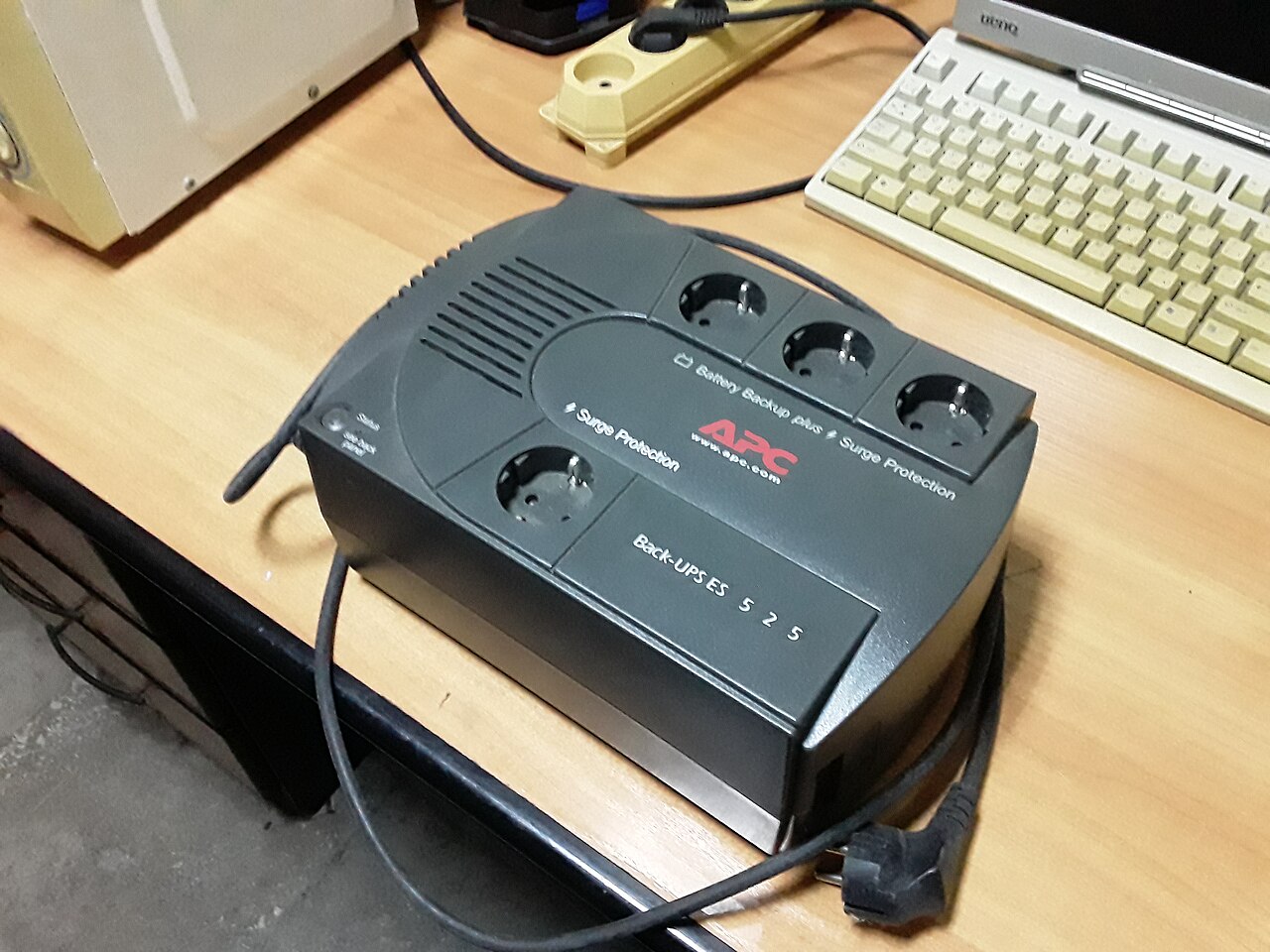
Image: MSDN.WhiteKnight, CC0, Wikimedia Commons
For small offices with a NAS and network, I use the APC Back-UPS BX750MI. It has run reliably for years, is quiet, and connects via USB to Synology or Windows Server so the devices shut down automatically during a power outage.
For standard offices with a server and several workstations, I go with the APC Back-UPS Pro 1500. It has a display and delivers a sine wave output, so even sensitive power supplies are fine with it. In the mid price range, it is the most reliable choice for me.
If the budget is tight, the CyberPower Value 700 will do. No luxury, but solid basic protection, well suited as a second unit for network switches and routers.
What to watch out for during installation
- Always connect the UPS to your server or NAS and set up the shutdown software. Otherwise it only bridges the outage instead of shutting the devices down cleanly.
- Do not plug laser printers into the UPS. The peak load when they switch on will overwhelm any small battery.
- Run a self-test once a year, usually possible at the push of a button or via the software.
My recommendation
For most SMBs, the combination of an APC Back-UPS 750 on the NAS and network plus a 1500 on the server is the most economical solution. That covers around 90% of typical outage scenarios, with a total investment of under 400 euros.
Questions about sizing your UPS or setting up a clean power supply? I will come on site and plan it with you. Get in touch.
As an Amazon Associate, I earn from qualifying purchases.


Comments