“But we do run backups” - and then there’s an encrypted NAS, a burnt-down office, or a ransomware infection, and everything is gone. The 3-2-1 rule is the simplest way to get rid of that risk: 3 copies of your data, on 2 different types of media, with 1 copy off-site. Sounds like a lot of work, but with modern hardware it can be done in an afternoon.
What the Rule Actually Means
3 copies means: the live data, for example on the server, plus two backups of it.
2 different media means: don’t bet everything on one technology. A NAS and an external drive, for example, or a NAS and the cloud.
1 copy off-site means: somewhere a fire or a burglary at the office won’t take out along with everything else. A family member or a second location with an external drive will do, or a cloud provider.
There’s a reason for the effort: the typical failure scenarios hit differently. If the office burns down, the NAS goes with it - only the off-site copy helps there. If lightning strikes and takes out both NAS units in the same cabinet at once, only a second type of medium helps. If ransomware encrypts everything it can reach, only a copy that was never connected will save you.
Putting It into Practice
The first step is the local target: a NAS with two drives in RAID-1 as the central backup destination for all workstations. That’s the first copy, running automatically every day.
The second step is the second copy: an external USB drive that gets connected and synced once a week, then unplugged again. A drive that isn’t connected is one ransomware can’t reach.
The third step is the off-site copy: either a second external drive that gets rotated and taken home, or an encrypted cloud backup, for example with Backblaze B2 or as an encrypted backup on a Hetzner Storage Box.
My Recommendations
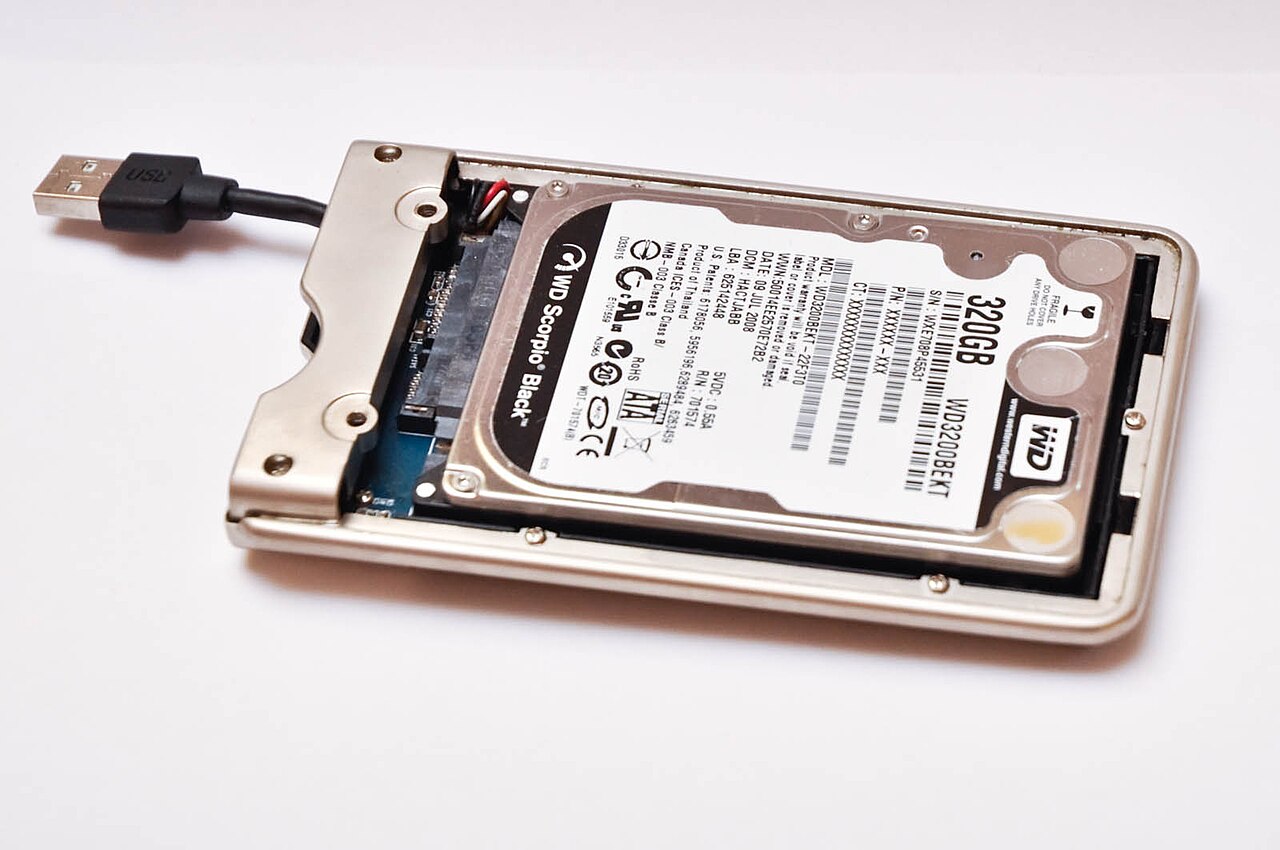
Image: Vojtěch Brzek, Public Domain, Wikimedia Commons
As a backup NAS, the Synology DS223j or the Synology DS224+ will do the job, fitted with two NAS drives such as WD Red Plus or Seagate IronWolf, running in RAID-1.
For the rotation, external drives like WD Elements or Seagate One Touch with 4 to 8 TB work well. Rugged, affordable, made exactly for the weekly swap.
For the cloud target I usually use Backblaze B2 or a Hetzner Storage Box, from about 6 euros a month for the amount of data a typical SMB has. The important thing: back up encrypted. Otherwise the cloud is just a NAS owned by somebody else.
The Most Common Mistakes
The backup sits on the same device as the data, for example only on a different partition of the server. That’s not a backup, it’s a second copy of the same risk.
Nobody tests the restore. A backup that has never been restored is, until proven otherwise, just a rumor.
The off-site drive stays plugged in permanently. Then it gets encrypted along with everything else in an emergency, and it was all for nothing.
My Recommendation
Put the 3-2-1 rule in place before something happens. The hardware costs less than 500 euros, a data loss quickly costs five times that. I’ll set up the complete backup concept for you, including a restore test - get in touch with me.
As an Amazon Associate, I earn from qualifying purchases.

Comments